
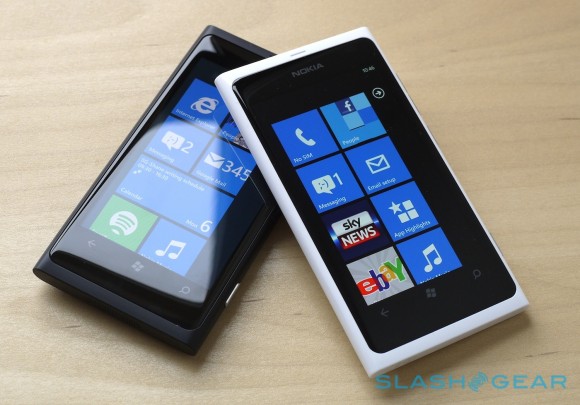
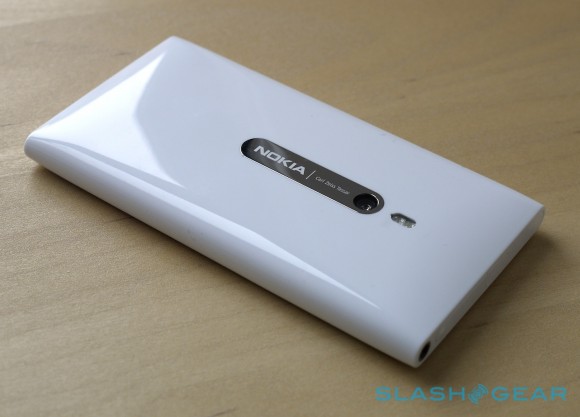
After N9 comes with glossy white, now Lumia 800 will get it too. See How beautiful it is !




Since this app still in beta version and I don't have Symbian^3 device for testing, so maybe some of application won't be launch at Symbian^3 devices. Because of this, I need feedback from Symbian^3 users to tell me what application which don't launch on Symbian^3 devices.


Since this app still in beta version and I don't have Symbian^3 device for testing, so maybe some of application won't be launch at Symbian^3 devices. Because of this, I need feedback from Symbian^3 users to tell me what application which don't launch on Symbian^3 devices.

This lets you have quick access to WiFi settings, Bluetooth, Airplane mode and network settings.With Toggle, you can pin Wi-Fi, 3G, Bluetooth and Airplane mode shortcuts to your start screen for direct access to them and more.If you have used ConnectivityShortcuts, Network Dashboard or Connection Tiles, give Toggle a try for the complete package…

Usability : 8
- The app appears as a set of 8 tiles, 4 of which you can pin on the homescreen .
- The other 4 which I didn’t get to show are settings, share, about and Review. Before I go to the toggle tiles, the Reminder option that I didn’t get around to on video allows you to set yourself a reminded when to turn on/off certain radios. When that appears just tap to activate.
- The tile colours are in line with your theme as is the iconography. That’s ok but I’d prefer to customise them with something else as I prefer to fill my homescreen with different colourful tiles, not just the default theme colours.
- Tiles flip occasionally though all that happens is the title moves from the top to the bottom. (You may have to use additional settings to get more info)
Performance : 9
- You can quickly access settings from the tiles from toggle itself. This means you only have one occupied tile for these radio settings.
- However, you can also set the top 4 as homescreen tiles themselves. e.g. WiFi tile opens up WiFi settings.
- Perhaps it would be nice to have a switch to turn it on and off from the tile. From my particular usage, I always have to search for a network anyway to connect to when at Uni so I’d be opening up the main settings anyway.
- It’s useful if you turn these radios on and off and currently for me the best thing we can get short of having quick settings in pull down (or possibly enhance the volume buttons where you can contextually have information on media player controls as well as volume and profile)
- The tiles do though indicate whether you are using them, and the WiFi one indicates how long it’s been on for.
- There are additional settings to :
- Enable background task to update app tiles with connection status
- Enable status updates on main tile app
- These are said to run every 30-40 minutes. I haven’t switched either of those on.
Price : 10
- Yeah it works. They’re pretty much just shortcuts to those particular radio settings, but they make it easy to switch these on and off if you’re so inclined to do that (and not want to go through a settings tile instead).
- The main Toggle tile opens quickly but I use the individual tiles themselves.
- The only performance thing might be the apparently delay when the phone switches flight mode on/off. That’s got nothing to do with the app itself though and you can just ignore this and go do something else. (Took about 6 seconds to turn flight mode on, 4 to turn off. I think it might be establishing WiFi connections)
It’s freeConclusion :
For quick tile access to WiFi/Bluetooth/Airplane mode/Data try out toggle.Supported Devices :
